

Setting up Stripe early can feel deceptively permanent.
You make a few pricing decisions, wire them into billing, and suddenly every future change feels expensive, both technically and organizationally. As founders building ClearSync (a Stripe to HubSpot integration), we had to live this problem ourselves.
Here we walk through how we set up our own Stripe instance to support an evolving pricing model, validate willingness to pay, and stay flexible, all without writing billing code too early.
Step 1: Decide on a pricing model with real constraints
We love the book The Pricing Roadmap: How to Design B2B SaaS Pricing Models That Your Customers Will Love and used it as our first guide on how to design our pricing model.
One principle we borrowed early from The Pricing Roadmap is this: Good pricing has constraints customers already understand.
In our case, that constraint wasn’t arbitrary, it was technical.
To model Stripe subscriptions cleanly in HubSpot without interfering with customers’ existing Deal or Company fields, we relied on HubSpot’s custom objects, which are only available to HubSpot Enterprise customers. That single constraint shaped our first pricing model.
We started by building ClearSync for HubSpot Enterprise users using custom objects because customers are (rightfully) protective of their core CRM fields and custom objects let us be additive, not invasive.
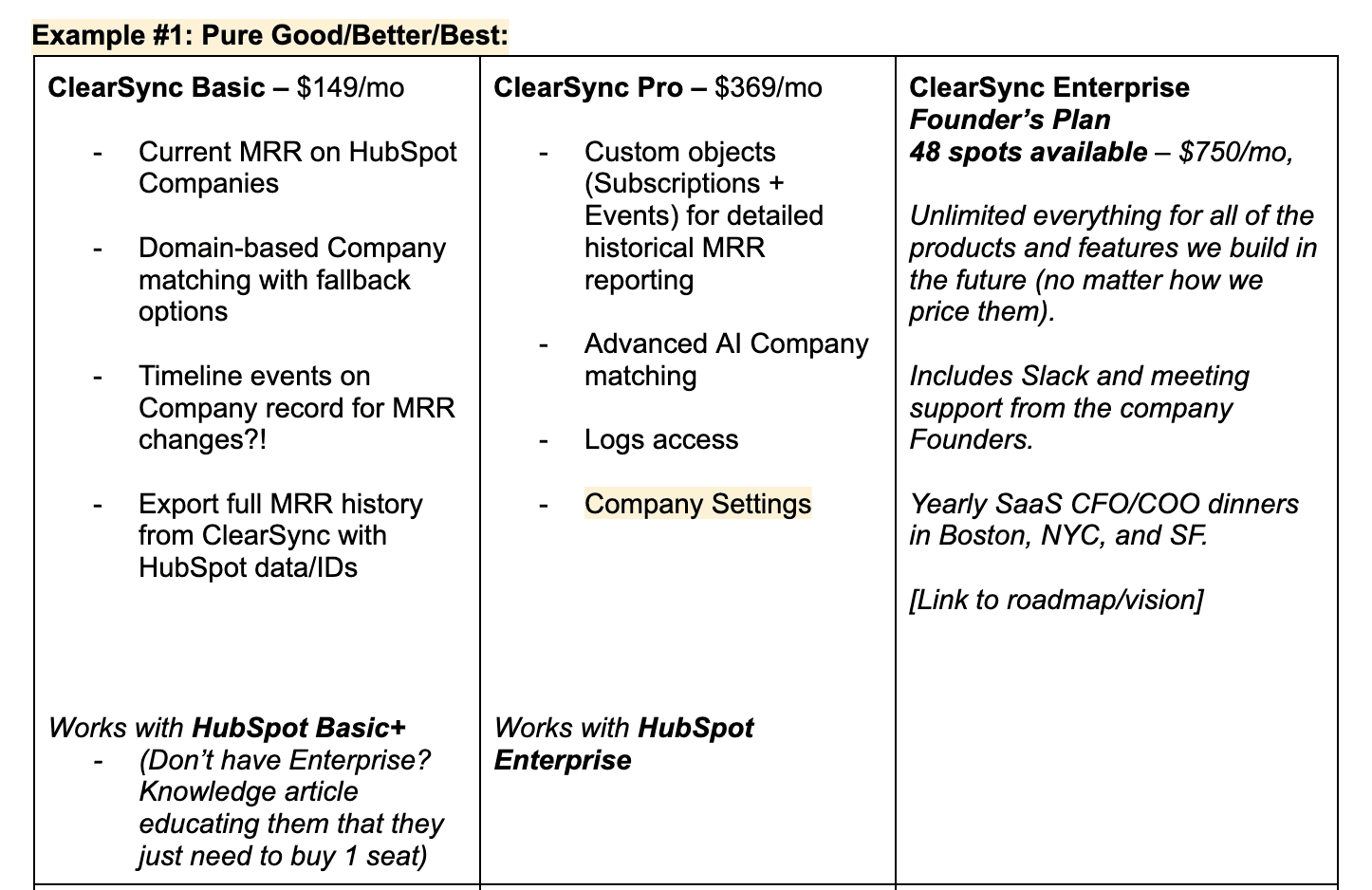
As we thought about our first pricing model that worked within this constraint, we went to market with two tiers: ClearSync Basic and ClearSync Pro. Pro was for HubSpot Enterprise users and Basic was for everyone else. Basic was priced lower, Pro higher, reflecting both capability and technical complexity.
We ended up with pricing that looked something like this:
Step 2: Test pricing before building anything in Stripe
At this point, we could have fully modeled pricing in Stripe and built in-app checkout.
We thought about doing that, but instead opted to do what any scrappy engineering team loves to do first: nothing.
Instead of building, we started testing the pricing model and tiers on prospects in calls, showing them our first pricing page and getting their thoughts on the price points and features. We mapped out what competitors in the space were charging and used those as initial baselines for prospect’s willingness to pay. We didn’t run any fancy Van Westendorp surveys, we simply asked prospects what they thought.
There was very little pushback, which gave us confidence, but we still didn’t rush to build billing logic.
Instead we decided that if people took us up on our offer, we would simply model it out in Stripe as needed and send payment links from Stripe manually to learn.
Step 3: A pricing pivot and why staying flexible mattered
Soon after we went to market with our app and pricing in tow, HubSpot released a major upgrade that upended our pricing model. With their release of App Objects, we could model our data the way we always wanted without requiring HubSpot Enterprise.
That instantly expanded our total addressable market.
At this point, we had a choice: do we double down on the Enterprise-only model we’d just launched, or do we pivot quickly and open ClearSync to many more customers?
We looked at the data and it made the decision easy: most interested customers did not have HubSpot Enterprise.
Because we hadn’t overbuilt Stripe logic, we could pivot fast.
The timing was tough but we rebuilt on App Objects in a few weeks and revisited pricing with a more value-based approach:
As your revenue grows, ClearSync scales with you
More revenue means more records synced which means more value and a higher tier
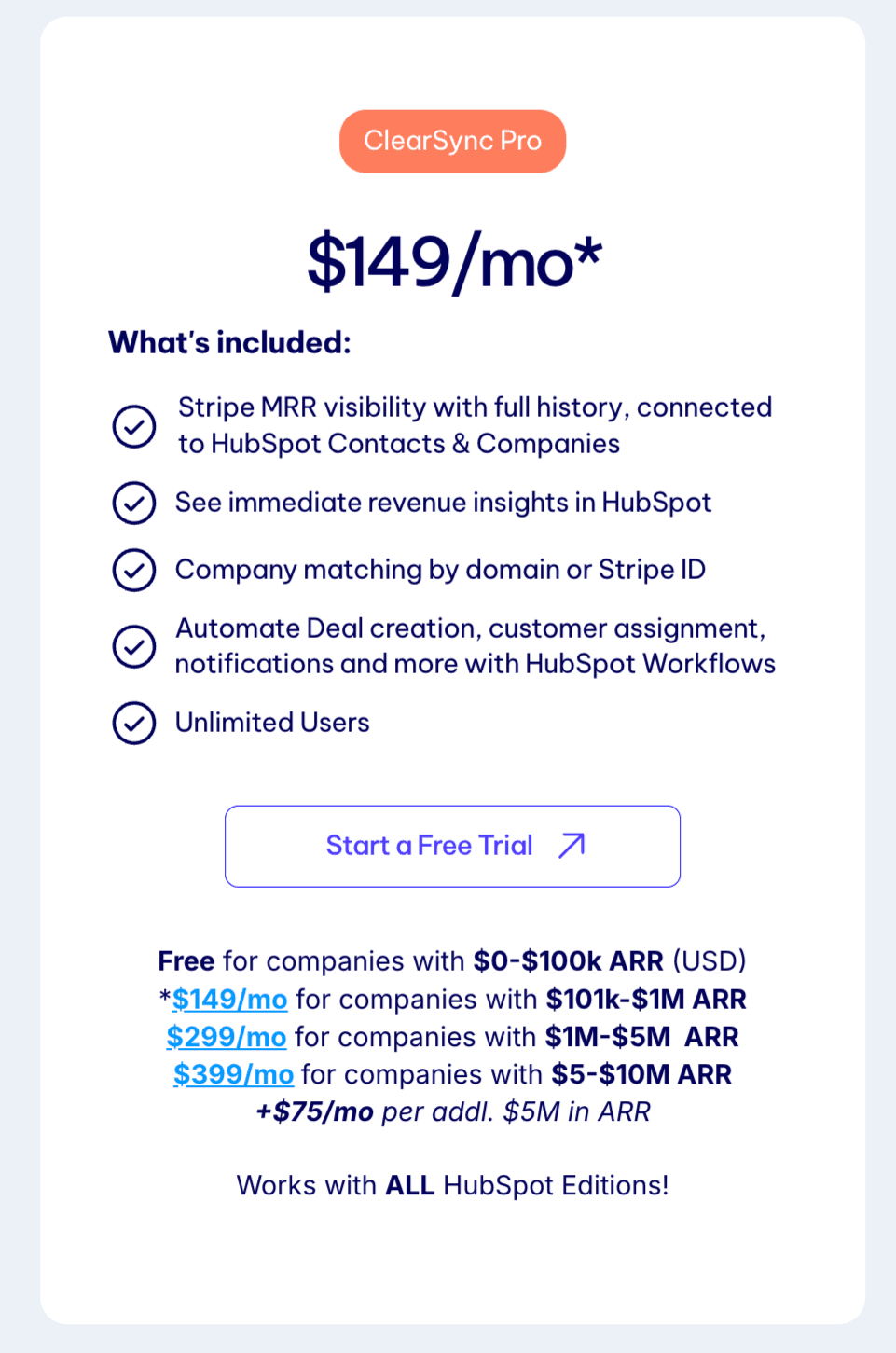
We leaned fully into PLG and introduced a free tier for companies under $100k in revenue
This is the pricing model you see on our site today:
Step 4: Implement pricing in Stripe (still without engineering)
By this point, we were confident in our pricing. But we still kept Stripe intentionally simple.
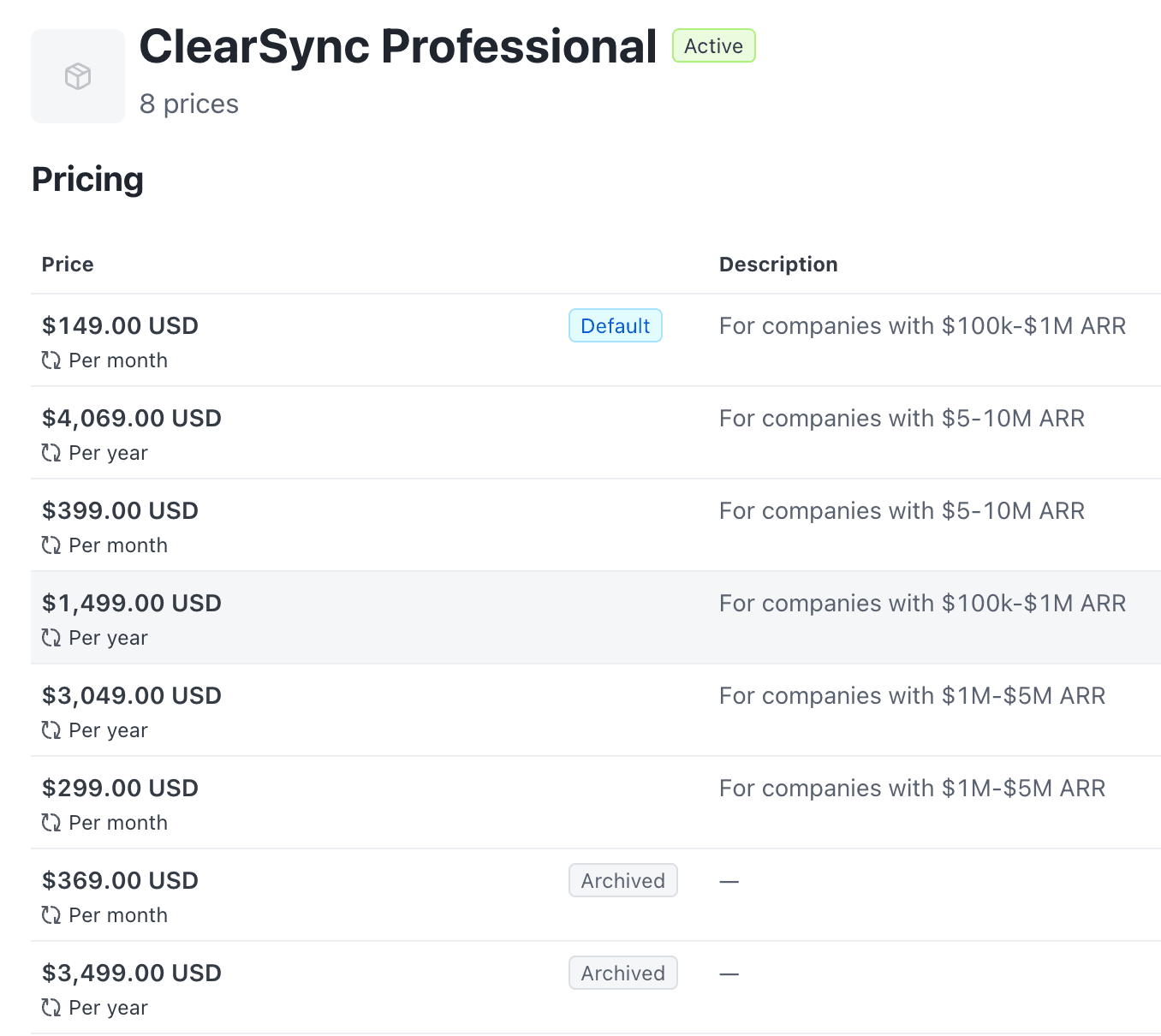
In Stripe, we built out one ClearSync Professional product with flat rate pricing. From there we added 6 different prices to it, mapped to the monthly and annual prices across tiers.
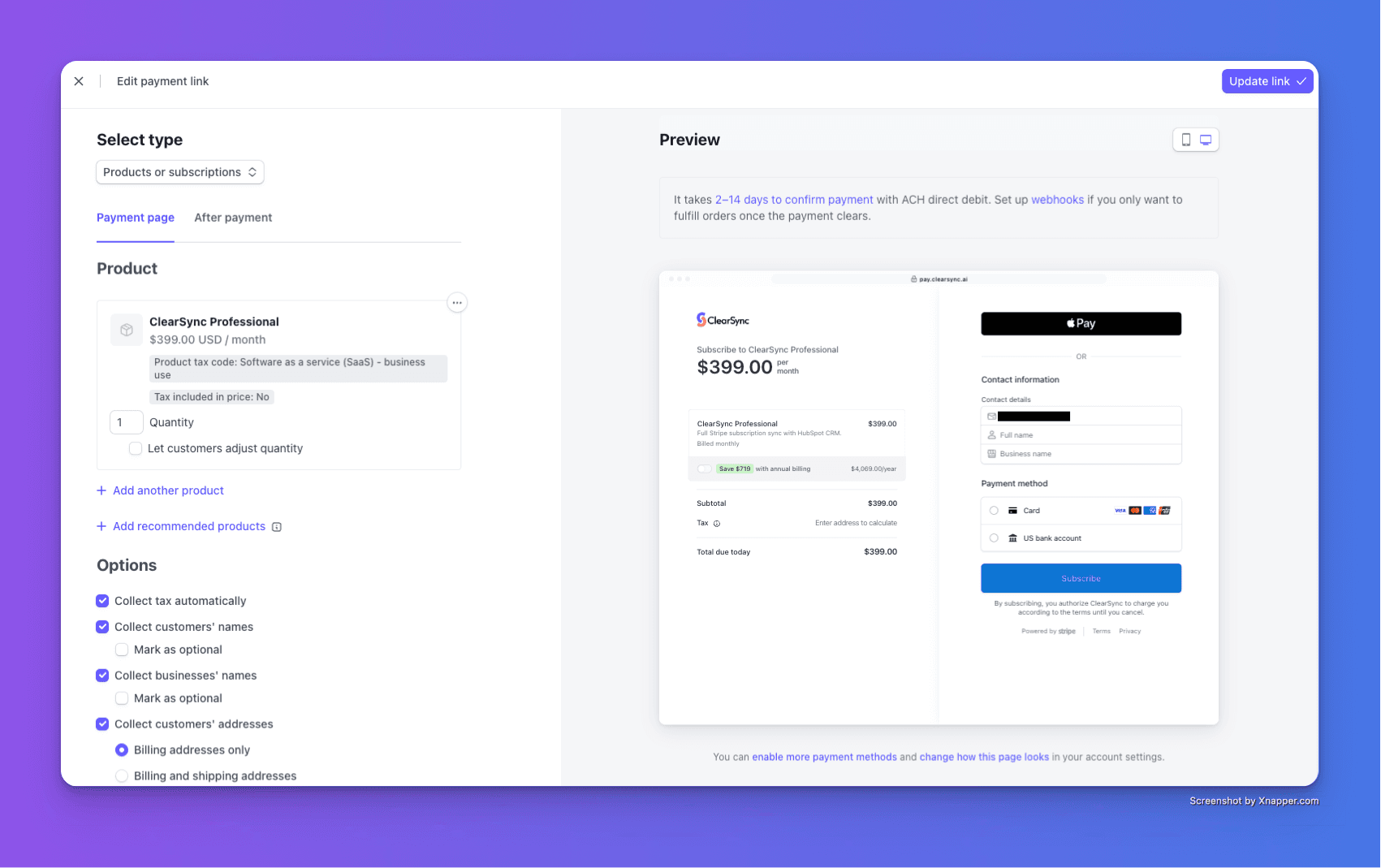
We also created Stripe payment links with a custom domain (pay.clearsync.ai) to allow customers checkout easily when they were ready to buy. They’re easy to embed in the app, but we started by just sending them via email.
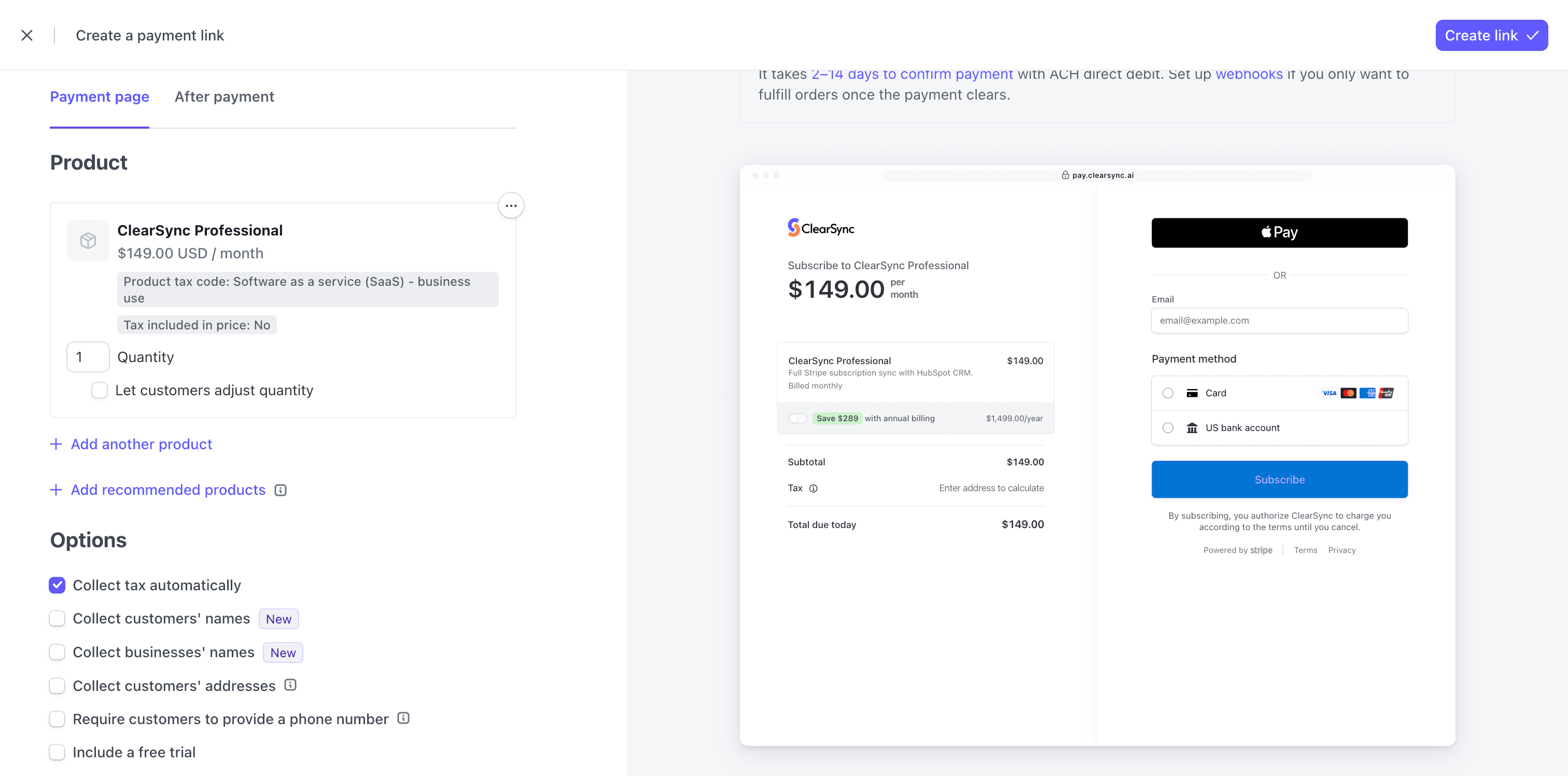
We also embedded the Stripe payment links on our pricing page so prospects can see all their pricing options, validate that the links we send via email are legit, and can understand how much they can save by toggling on annual pricing.
This gives us professional checkout, clear pricing transparency, and flexibility to adjust tiers without re-architecting billing.
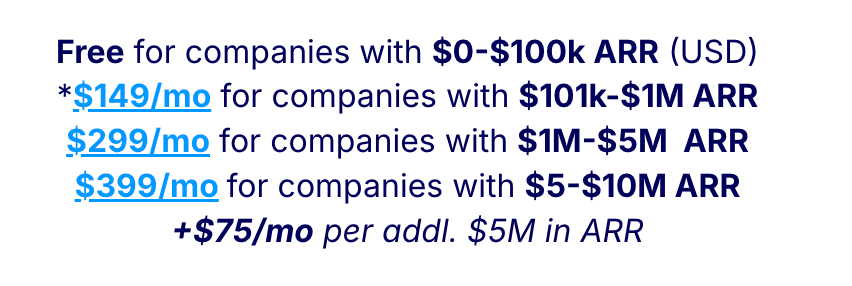
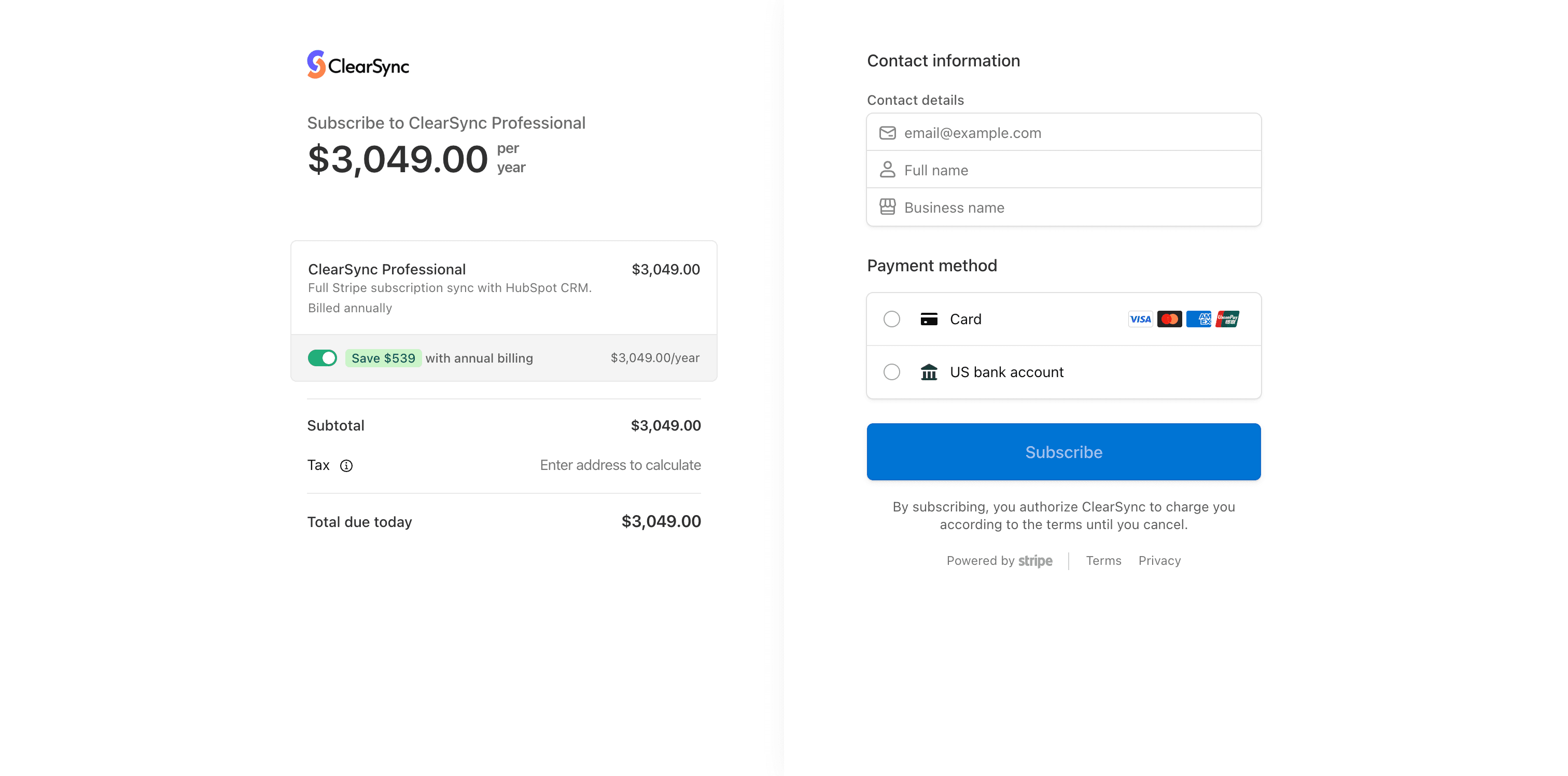
Now Stripe is fully set up to handle checkout, annual discounts, and upgrades, and we didn’t write a single line of billing code.
Step 5: Dogfooding ClearSync
Of course, we use ClearSync ourselves. Whenever a new customer subscribes, ClearSync immediately creates a customer, company, and subscription MRR record in HubSpot. A HubSpot workflow posts an alert in Slack so we know when new payments come through.
Our connection from Stripe to HubSpot is completely automated so we can report on MRR against all our CRM data automatically.
The whole team sees the same revenue data in the same system, which is exactly the workflow we built ClearSync for.
Looking ahead
Eventually, we’ll move payment links fully in-app and automate even more of the flow (like using Stripe’s tiered pricing to automate pricing changes at renewal or handling currency conversions automatically). But for now, this setup lets us move fast, stay flexible, use our own product, focus on core product development, and test without over-investing in infrastructure.
If you’re setting up Stripe for the first time, rethinking a pricing model that no longer fits, or trying to get Stripe revenue into HubSpot cleanly, this approach can save you weeks of rework.
And if your Stripe setup is already live but your revenue data still lives outside your HubSpot CRM, you can start a free trial of ClearSync and see what it looks like when everything finally lines up.