

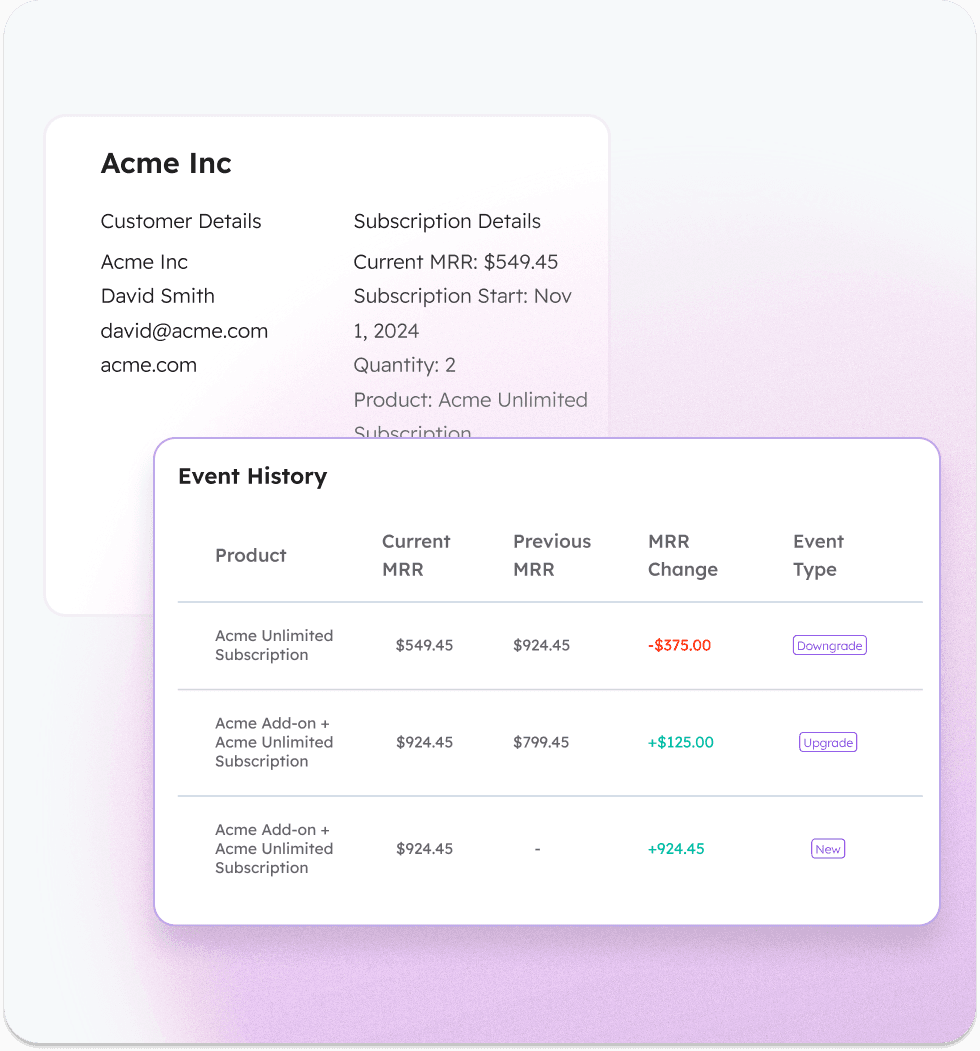
Stripe now has some MRR charts in their Billing Analytics tool, allowing users to see MRR and MRR change over time. This is great for a founder poking around in Stripe, but the challenge starts when that Stripe data needs to be used outside of Stripe.
Founders and operators don’t just want a chart. They want to understand revenue changes by customer, quickly see who is past due or at risk, and, importantly, share revenue context with teammates who shouldn’t have Stripe access.
Stripe doesn’t optimize for customer-level revenue stories, sharing revenue context safely with non-billing teams, and turning revenue insight into something teams can operate from together.
But this is what ClearSync aims to solve.
What ClearSync Does Out of the Box
ClearSync doesn’t try to replace Stripe, we make Stripe recurring revenue reporting usable for B2B founders and teams. Here’s how:
1. Opinionated MRR Math, Already Configured for B2B SaaS
ClearSync applies a SaaS-native MRR model out of the box, so you don’t have to design or maintain one yourself. That means:
MRR is normalized and consistent
Changes are categorized as new, upgrade, downgrade, churn, or reactivation
Billing noise (taxes, fees, prorations, one-time charges, discounts) is filtered out correctly for B2B SaaS teams
2. MRR Grouped by Customer Timeline (Not Just Events)
Founders think in questions like:
Which customers upgraded this month?
Who downgraded but didn’t churn?
Who churned and who came back?
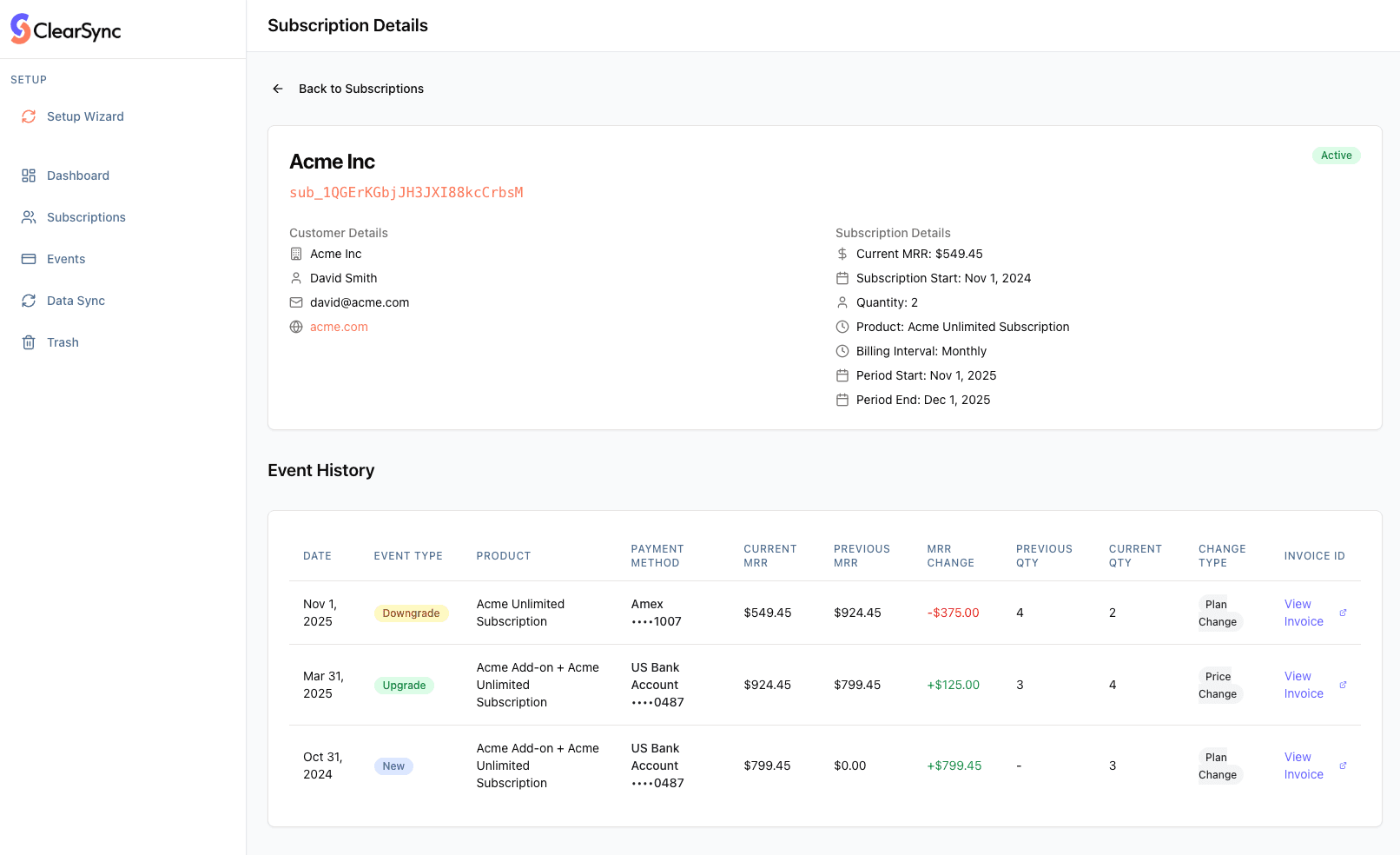
ClearSync groups MRR changes into a clear customer timeline, so revenue changes map directly to real accounts, not just abstract events. This allows founders to search by downgrades, churn, planned cancellations, and upgrades, giving their team a clear view into what customer behavior is happening right now.
3. Built to Be Shared, Without Giving Out Stripe Access
Stripe is not a place most teams should live. It’s sensitive, permission-heavy, and designed for engineers and billing operators, not teams who needs revenue context to do their jobs.
ClearSync is designed to be the safe, shared revenue surface for founders, RevOps, finance, sales, customer success, and leadership teams to get a shared understanding of revenue per customer, and how it has changed over time.
ClearSync is where teams don’t need a Stripe login, screenshots of reports, or floating CSVs of data. They can login and see one agreed-upon view of revenue, sorted by customer.
4. Immediate Operational Signals
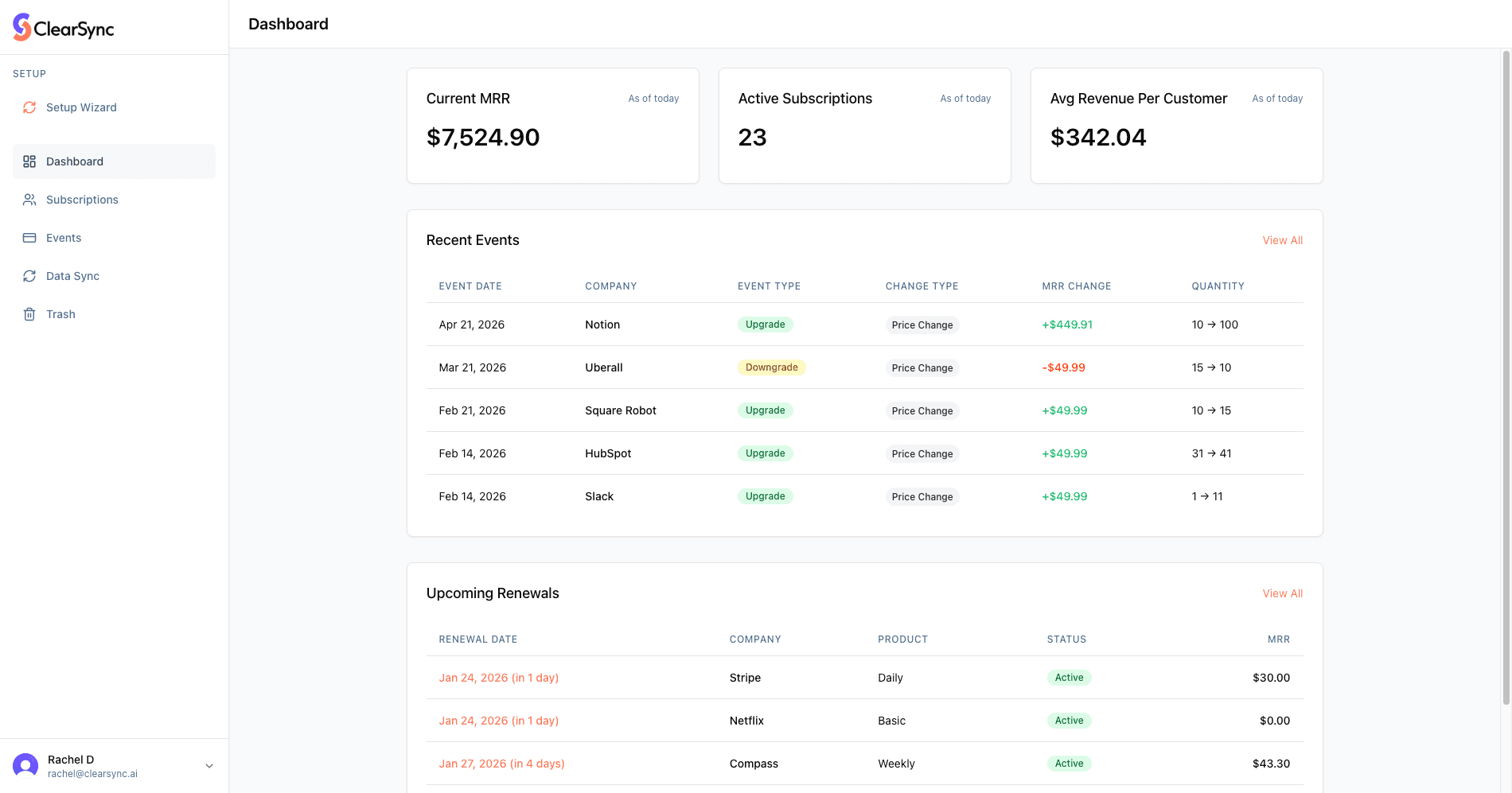
ClearSync isn’t trying to be a full analytics platform. It focuses on what founders actually need to see quickly:
current Stripe MRR
recent MRR changes by customer
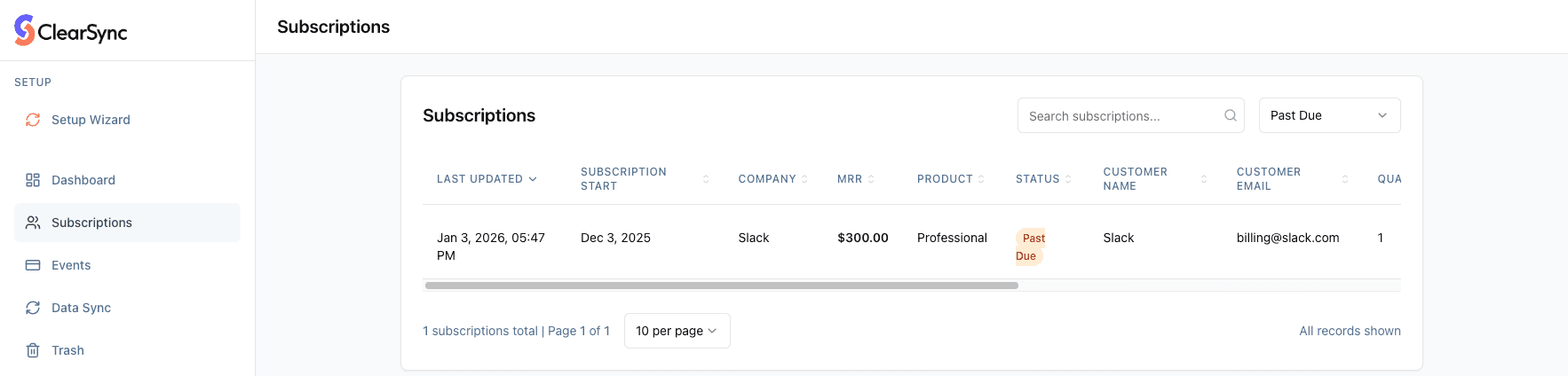
who is past due or unpaid
where risk or expansion is emerging
Try ClearSync’s Free Stripe MRR tool
Connect your Stripe account (read-only access - we never touch or change your data), and get:
a clean Stripe MRR number
a customer-level MRR change timeline
visibility into past-due and at-risk accounts
a shareable revenue view your team can use immediately
No dev work, no SQL, no Stripe logins required for your team.
If you want to stop debating revenue and start aligning around it:
→ Connect Stripe and see your MRR
P.S. Make Stripe Data Actionable in HubSpot (When You’re Ready)
If you use HubSpot CRM, ClearSync can optionally sync this same Stripe MRR data into HubSpot so it becomes actionable for all your go to market teams. This lets your team do things like see who is paying what in context of their CRM, run workflows to collect on past due payment campaigns, prioritize and upsell customers by revenue and product, and report on MRR per segment.
Syncing your data to HubSpot makes ClearSync even more actionable, but it’s not required. Seeing all your Stripe data in one place is valuable, even if you never connect HubSpot.
TL;DR
Stripe is great for billing, but not designed to be a shared revenue tool for teams
Many SaaS teams need to see past-due and at-risk customers at a glance, understand MRR changes by customer, and share Stripe revenue context without giving Stripe access
ClearSync turns Stripe data into a shareable, customer-level MRR view, with opinionated SaaS-native math
No SQL, no pipelines, no Stripe logins required
HubSpot sync is optional
→ Connect Stripe and see revenue by customer
FAQs
Does this replace Stripe Billing Analytics?
No. Stripe Billing Analytics is excellent for exploring payment data inside Stripe.ClearSync is designed for a different job: making Stripe revenue usable and shareable for teams with customer-level MRR context that’s easy to explain and operate from.
Why not just use Stripe directly?
Stripe is optimized for billing operators and finance workflows. Most SaaS teams don’t want to give broad Stripe access or rely on screenshots and CSVs to share revenue context. ClearSync provides a safe, shared revenue view built specifically for founders and go-to-market teams.
Can I customize the MRR definition? How does ClearSync calculate MRR?
ClearSync applies an opinionated, SaaS-native MRR model out of the box. MRR changes are grouped into new, upgrade, downgrade, churn, and reactivation, with billing noise filtered out so teams can focus on real revenue changes without writing SQL or maintaining a model. If you have feedback on your MRR data, we’d love to hear it.
Can I see which customers are past due or at risk?
Yes. ClearSync highlights past-due, unpaid, and planned cancellation customers alongside their MRR context, so teams can quickly understand where revenue risk is emerging. This visibility is designed to be actionable, not just analytical.
Can my team use this without Stripe access?
Yes. That’s a core part of the product. ClearSync is built so founders, RevOps, finance, and customer success teams can understand Stripe revenue without needing Stripe credentials.
Can I sync my data to HubSpot CRM?
You can, but this is totally optional. We built this integration to make your MRR and customer data operational where your team lives - in HubSpot CRM.
Is my Stripe data safe?
Yes. ClearSync uses read-only Stripe access and never modifies your Stripe data. ClearSync is a Stripe Verified Partner. Additionally, ClearSync:
Can never see or store sensitive billing information (card numbers, bank details)
Only syncs business-relevant subscription and transaction data
Follows best-practice security standards: Maintains encryption in transit and at rest
Provides data deletion upon request, including self-service in the ClearSync app
Related: Privacy Policy & Terms of Service
How far back does history go?
ClearSync reconstructs MRR from your full Stripe subscription and invoice history, not just new data going forward. This makes revenue changes easier to understand over time.
What happens after 14 days?
If you’d like to retain access beyond 14 days, we’d love to learn more about your use case and will work with you to create a custom plan.
Do you support multiple Stripe accounts?
Yes, but not in one unified ClearSync Dashboard — each Stripe account would need its own ClearSync account.