Stop manually logging revenue in HubSpot. This playbook automatically creates a Closed Won deal with the right contact, company, and MRR the moment a new subscription goes active in Stripe.
When to use this: When a new Stripe subscription is created and you want to create a Closed Won deal in HubSpot.
The Problem
If your customers sign up and pay in Stripe but your deals live in HubSpot, there's often a gap in data accuracy between the two. Someone has to notice the new subscription, pull the details from Stripe, and manually create the deal, if they even remember to do it. This playbook closes that gap by automatically creating a properly associated, correctly valued Closed Won deal in HubSpot the moment a new subscription goes active in Stripe.
How It Works
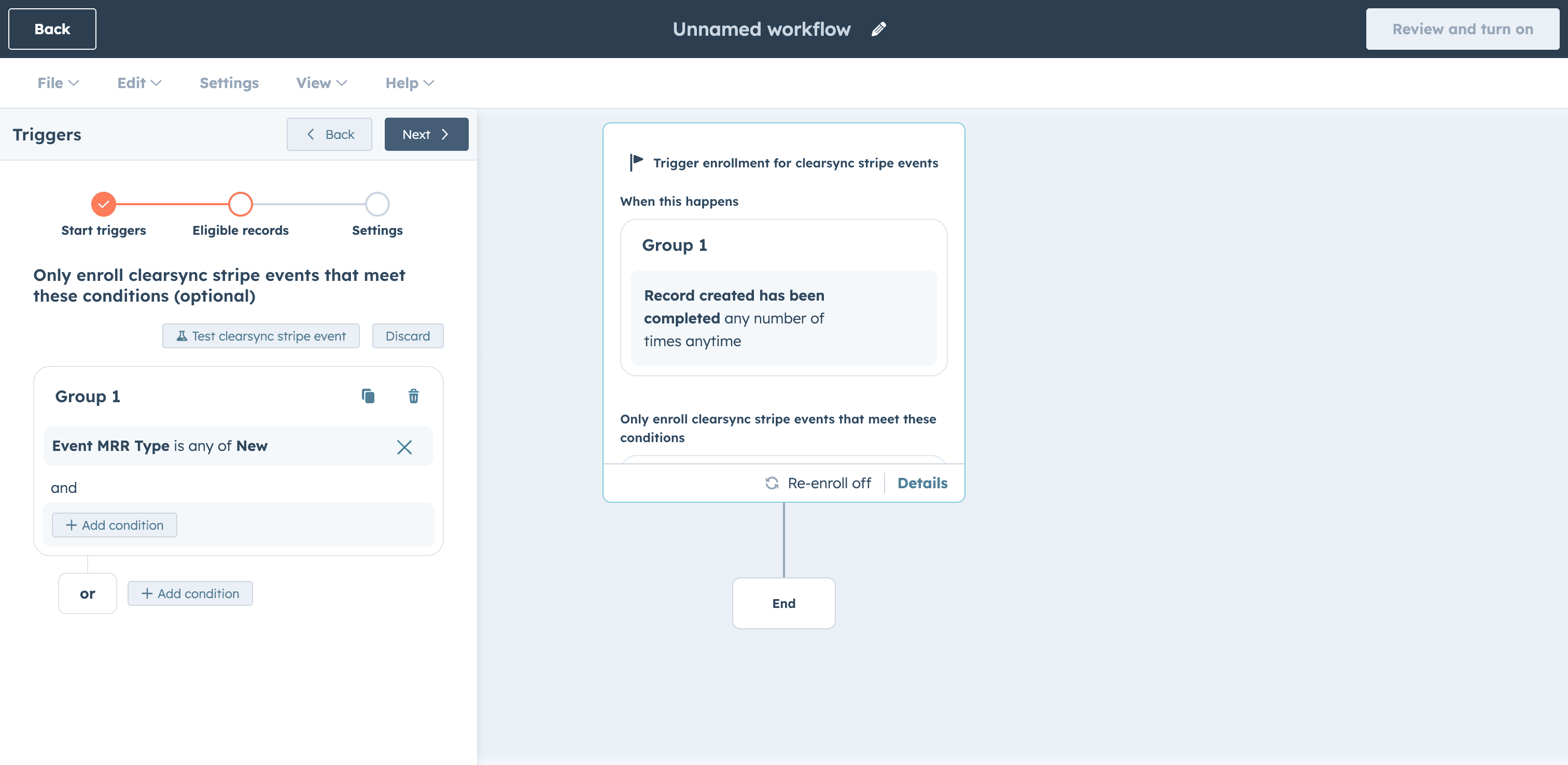
🔹 Trigger: A ClearSync Stripe Event is created with an "Event MRR Status" of "New".
🔹 Action: HubSpot creates a new Closed Won deal and associates it to the right contact, company, and subscription automatically.
✅ Result: Your HubSpot pipeline reflects real revenue. Finance has a source of truth they can trust, sales can see every closed deal with the correct MRR, and your team gets notified in Slack or email the moment it happens.
Set It Up in HubSpot
Install ClearSync and connect your Stripe account. ClearSync will sync your Stripe subscriptions and events as App Objects in HubSpot, automatically associated to the right Contact and Company records.
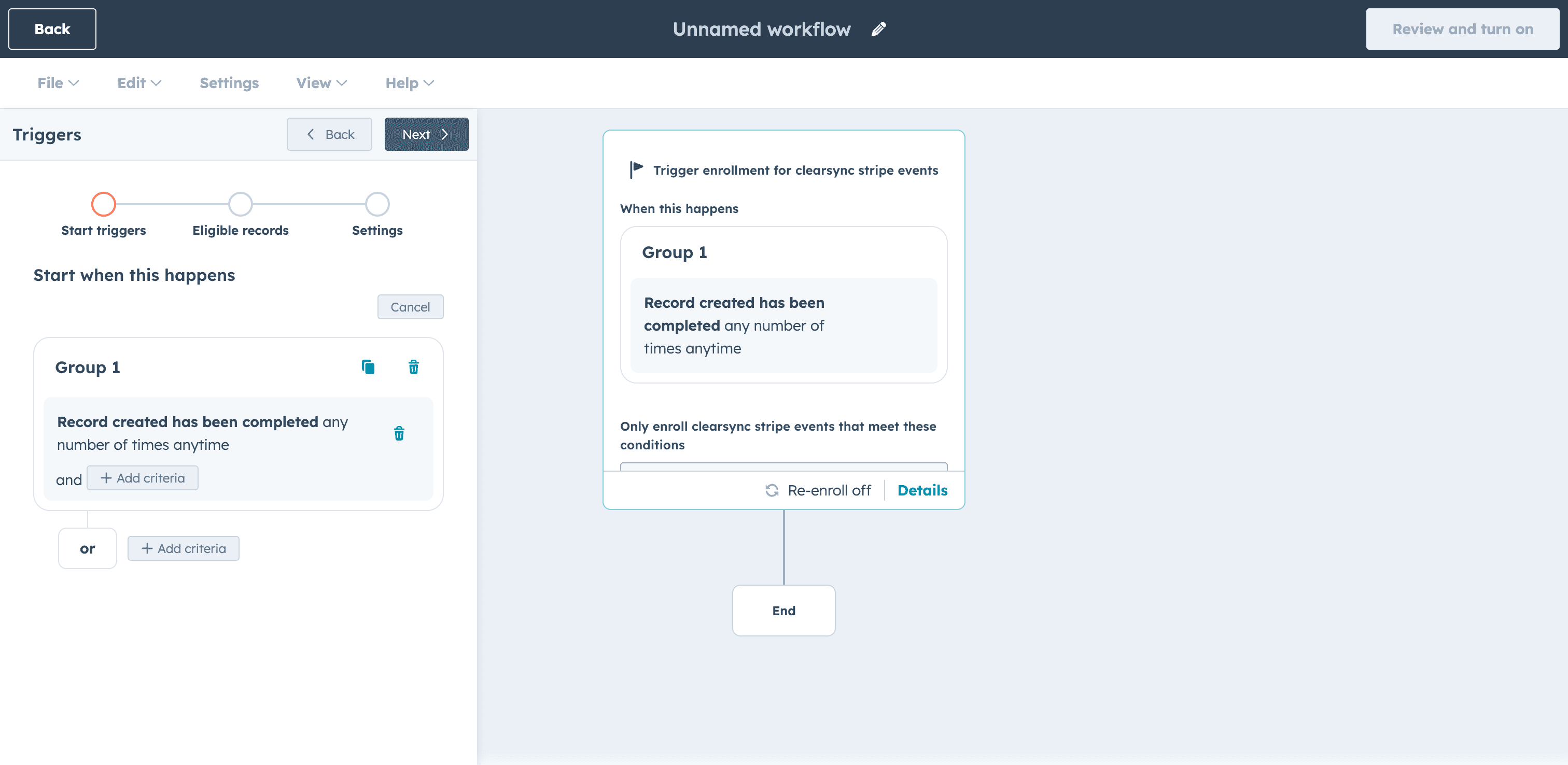
Create a new workflow. In HubSpot, go to Workflows > Create Workflow > From Scratch. Set the enrollment trigger to Data Values > Record Created > ClearSync Stripe Event.
Filter for new sales only. Click "next" to set Eligible Records. Set the event to trigger when the field "Event MRR Status" is New. This ensures the workflow fires for brand new subscriptions only.
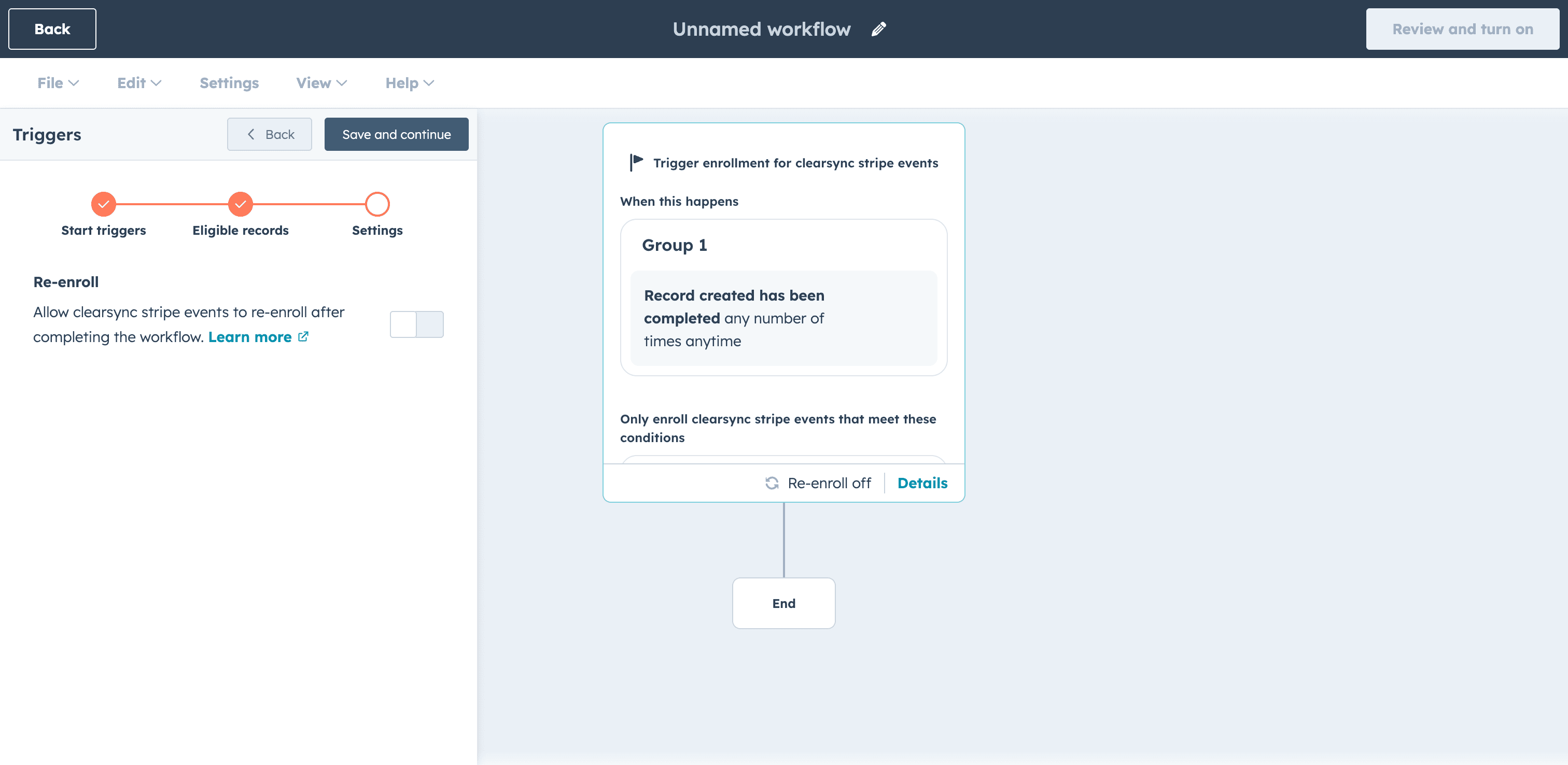
Set re-enrollment to Off because ClearSync Stripe Events are created once and don't update, so re-enrollment isn't needed. Save and continue.
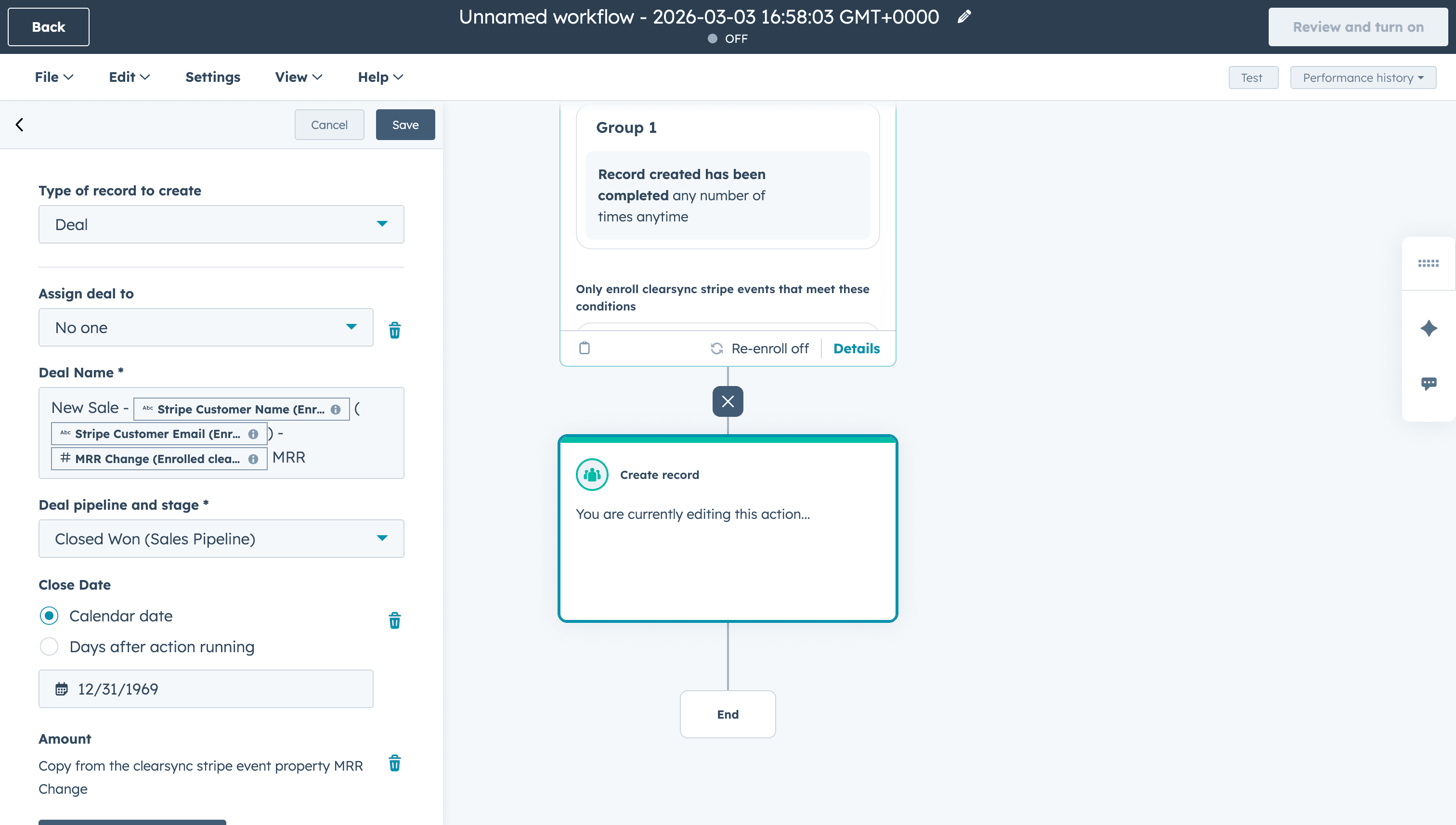
Add the Create Deal action. Click CRM > Create record > Deal. Configure the deal:
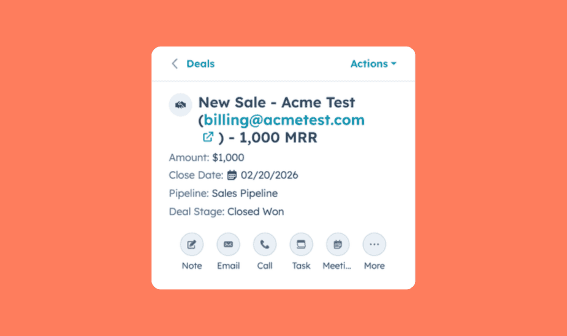
Set Deal Name using personalization tokens. Here we are using "New Sale - " with personalization tokens "Stripe Company Name", "Stripe Customer Email" and "MRR Change" to show the customer name and value in its title.
Set Deal Stage to Closed Won
Set Close Date to Calendar date
Set Deal Amount to the Event MRR field from the ClearSync Stripe Event record
Enable inherit associations from the ClearSync Stripe Event so the deal is automatically linked to the Contact, Company, ClearSync Stripe Subscription, and ClearSync Stripe Event.
Click Save
Add an internal notification (optional). Add a new action and search for "Slack" or choose to send an email. Add a Slack message or internal email to notify the account owner or channel that a new deal has been created. For example:
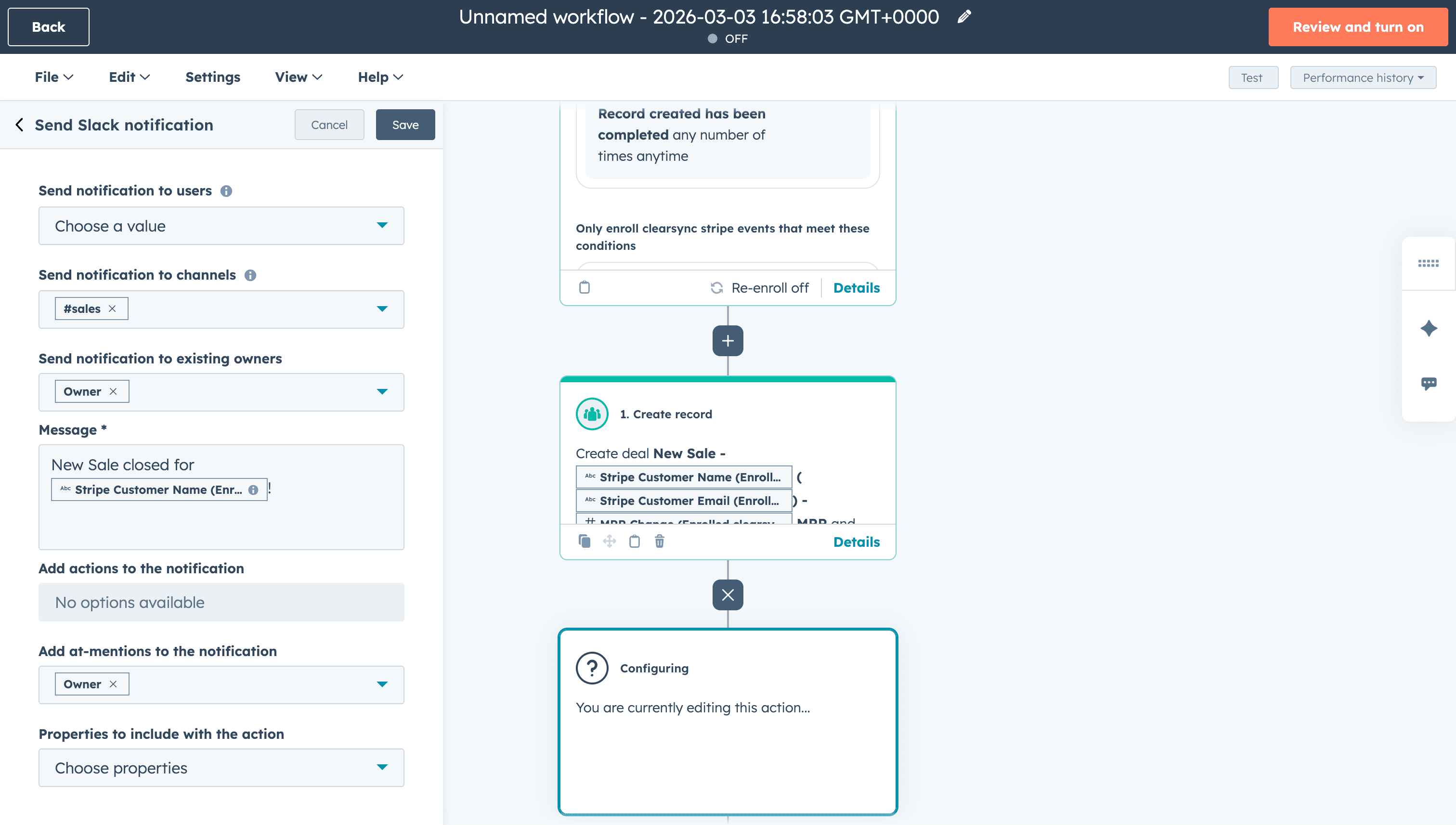
Name your workflow and turn it on. You're now all set to create Closed Won deals and send notifications in HubSpot when a new sale happens in Stripe!