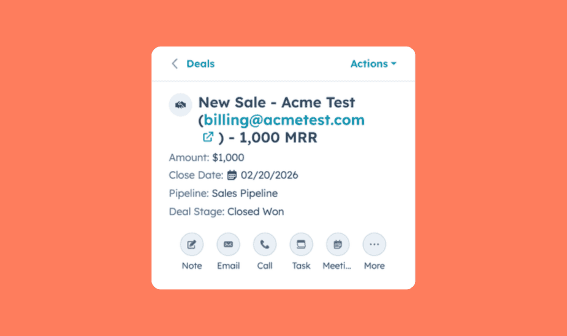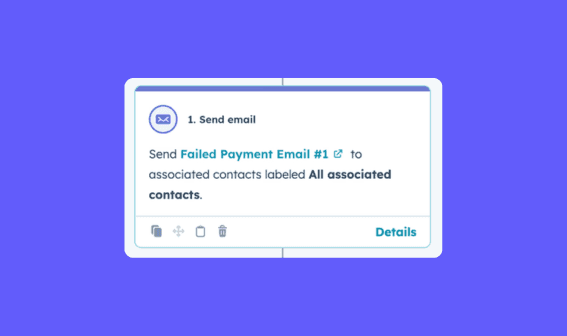
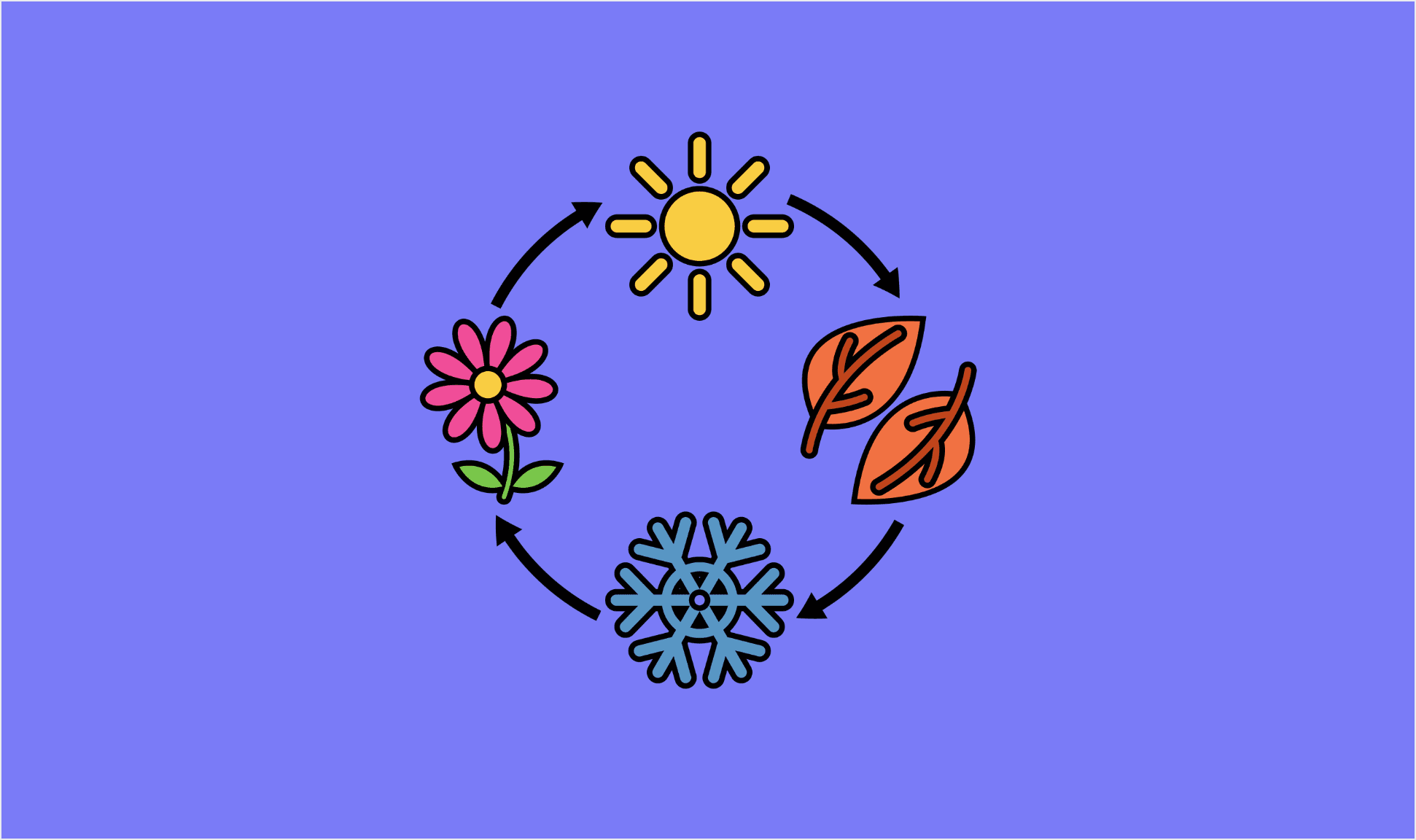
Your Lifecycle Stages are only as good as the data behind them. If a Contact shows as an "Opportunity" in HubSpot three weeks after they started paying in Stripe, every segment, report, and nurture campaign built on that stage is quietly wrong. This playbook keeps your Contact and Company Lifecycle Stages in sync with what's actually happening in Stripe, in real time, so marketing and sales are always working from the same revenue truth.
ClearSync syncs each Stripe subscription's status into HubSpot and associates it with the right Contact and Company. From there, a few HubSpot Segments and a single workflow read that status and automatically set the Lifecycle Stage, with no manual updates and no Enterprise-only custom objects required.
When to use this: When you want a Contact's or Company's HubSpot Lifecycle Stage to reflect their real Stripe subscription status, so your marketing and sales segmentation stays accurate without manual upkeep.
The Problem
Lifecycle Stage is one of the most-used properties in HubSpot. It drives list membership, campaign enrollment, lead routing, reporting, and who your team treats as a prospect versus a paying customer.
But for SaaS teams, the truth about who's a customer lives in Stripe, not HubSpot. Someone starts a trial, converts to paid, downgrades, or cancels, and unless someone remembers to open Stripe and update the CRM, the Lifecycle Stage drifts out of date. Trial users get "become a customer" emails after they've already paid. Churned accounts stay tagged as Customers and inflate your retention numbers. New paying customers keep receiving top-of-funnel nurture meant for prospects.
There's a second, quieter problem: a single account can have multiple subscriptions. A Company might have one subscription that canceled and another that's still active and paying. If your automation looks at one subscription in isolation, it can flip that Company to "Former Customer" while they're still very much a customer. Getting Lifecycle Stage right means reasoning about all of an account's subscriptions together, not one at a time.
ClearSync makes the Stripe Subscription Status a real, reportable field on a HubSpot record, so you can build Segments that account for every subscription on an account, then let a workflow set the stage from there.
The Mapping
Here's a sensible default mapping from Stripe subscription status to HubSpot Lifecycle Stage. Adjust the stages to match how your funnel is defined.
Stripe Subscription Status | HubSpot Lifecycle Stage | Why |
|---|---|---|
Trialing or a free ($0) subscription | PQL (custom stage) or Opportunity | (Optional) Evaluating or on a free plan, not yet a paying customer You might also filter these with the notion of Product Qualified Leads, who meet certain behavioral and demographic criteria. |
Active (or Past Due) | Customer | Paying customer. Past Due is still a customer, a failed payment is a separate motion. |
Canceled (across all subscriptions related to the Company) | Former Customer (custom stage) | No longer paying, but worth keeping distinct from prospects |
A few notes:
"Former Customer" and "PQL" aren't default stages. HubSpot's defaults are Subscriber, Lead, MQL, SQL, Opportunity, Customer, and Evangelist. We recommend adding a custom Former Customer stage so churned accounts don't sit in "Customer" forever or get dumped back into your prospect pool (Step 2 below).
The Trialing / free or PQL stage is optional. Only add it if it applies to your business. Many Stripe-billed SaaS companies run trials, free plans, or both, often as
Trialingsubscriptions or as $0 active subscriptions. If that's you, you can capture both kinds of user in a single stage.An active subscription always wins. If an account has both a canceled and an active paid subscription, it's a Customer, not a Former Customer. The setup below handles that precedence for you.
How It Works
🔹 Trigger: A Contact or Company joins or leaves a subscription-status-driven Segment. ClearSync keeps each subscription's Subscription Status current in HubSpot in real time, so segment membership updates automatically as accounts trial, convert, go past due, or cancel.
🔹 Action: A HubSpot workflow enrolled on those Segments runs the account through an ordered set of branches, top branch wins, and sets the Lifecycle Stage on the Contact, then mirrors it to the associated Company.
✅ Result: Lifecycle Stages reflect billing reality automatically, even for accounts with multiple subscriptions. Your "Customers" list is actually your customers. Your trial nurture stops the moment someone converts. And your funnel reporting means what you think it means.
Set It Up in HubSpot
1. Install ClearSync and connect your Stripe account. ClearSync syncs your Stripe subscriptions as App Objects in HubSpot and automatically associates each subscription to the right Contact and Company.
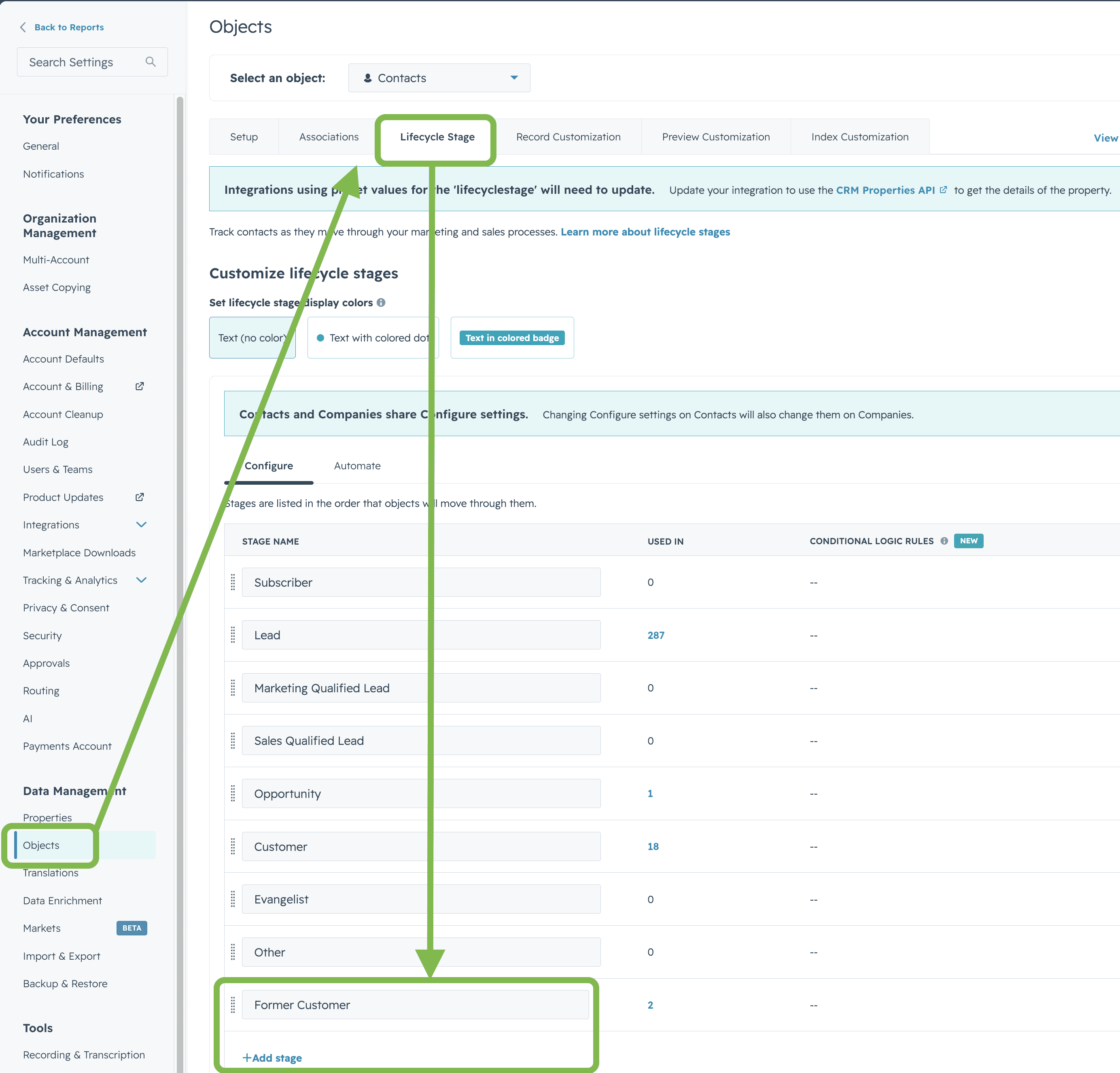
2. Add a custom "Former Customer" Lifecycle Stage (recommended). Go to Settings > Objects > Contacts > Lifecycle Stage and add a stage called Former Customer. This gives you a clean way to identify churned accounts without leaving them tagged as Customers or pushing them back into your prospect funnel.
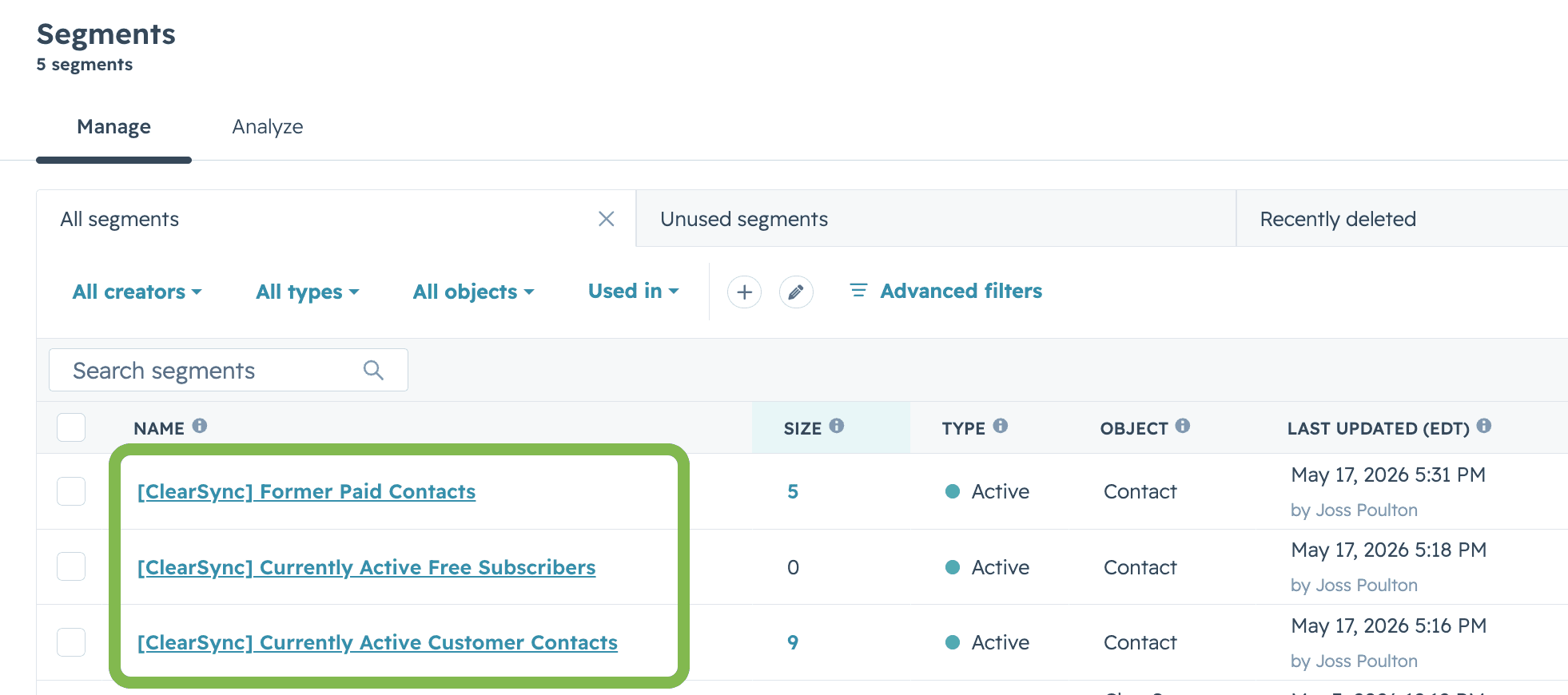
3. Create Segments that describe each subscription state. Go to CRM > Segments and build a Segment for each stage you want to drive. Because ClearSync associates every subscription to its Contact and Company, you can define these in terms of an account's subscriptions, which is what lets you handle accounts with more than one. Suggested Segments:
Current Paying Customers — associated with at least one ClearSync Stripe Subscription where
Subscription Statusis Active or Past Due.Former Customers — associated with at least one subscription, but none that are Active, Past Due, or Trialing (in other words, every subscription has canceled).
Active Trial & Free Users (optional) — associated with at least one subscription that is Trialing or a $0 (free) subscription. Add this only if trials or free plans apply to your business.
4. Create the workflow. In HubSpot, go to Workflows > Create Workflow > From Scratch. Set the enrollment trigger to being a member of any of the Segments you just created. In the Settings step, turn Re-enroll on, so an account re-evaluates every time its subscription situation changes (trial → active → canceled → reactivated).
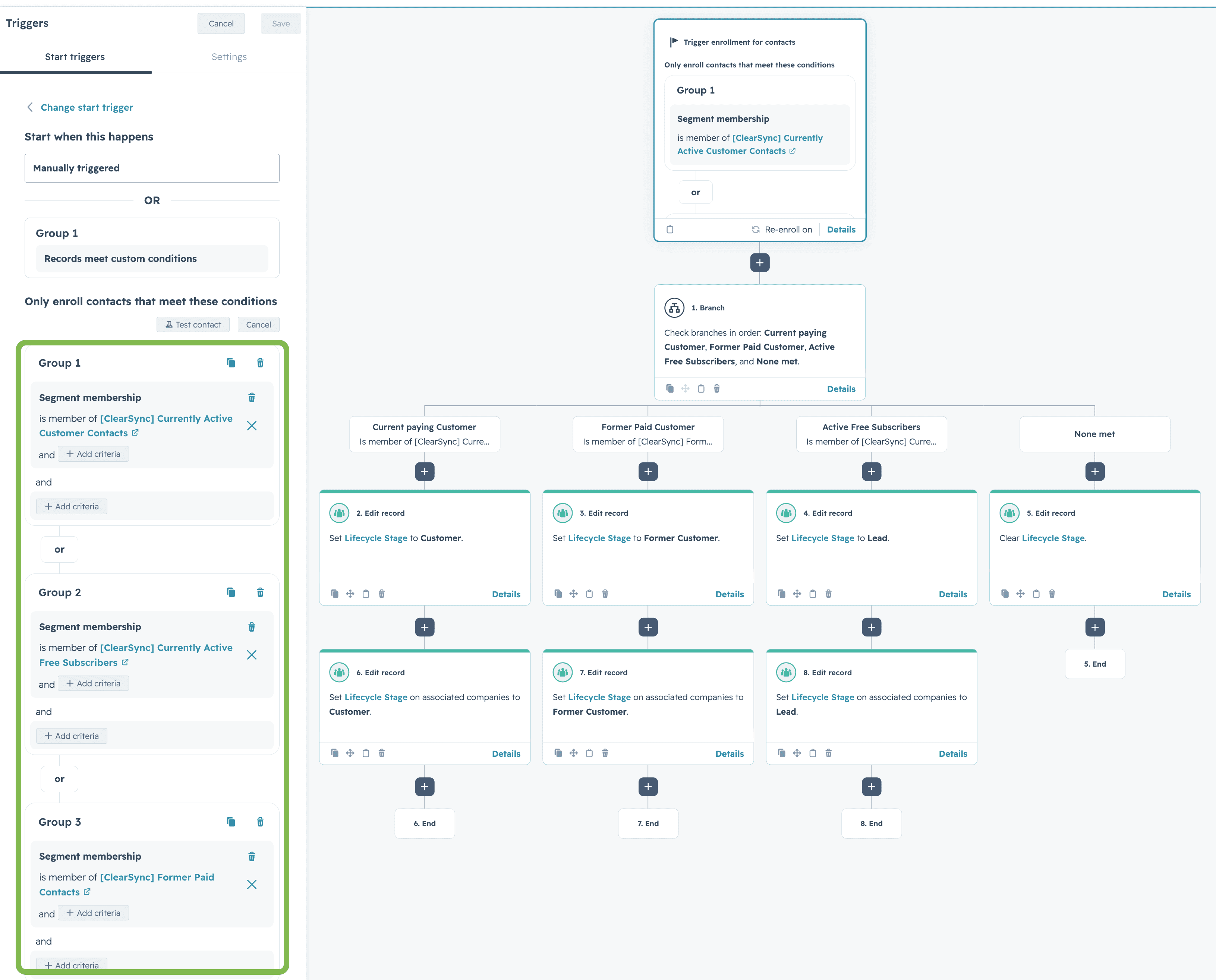
5. Add branches in priority order, most senior stage first. Use an If/then branch that checks Segment membership, and order the branches so the most senior state is evaluated first. Order is what enforces precedence:
Current Paying Customers (first, so an account with both an active and a canceled subscription is correctly treated as a Customer)
Former Customers
Active Trial & Free Users (optional)
None met (fallback)
6. Set the Contact's Lifecycle Stage in each branch. Under each branch, add a Set property value action on the Contact's Lifecycle Stage:
Current Paying Customers → Customer
Active Trial & Free Users → Opportunity (or whichever stage you use for trials and free users)
None met → optionally clear the Lifecycle Stage
7. Handle the backward move for Former Customers (important). In order to know whether a Subscription has ever had a paid MRR event, you might need to create a rollup field for Number of Paid MRR Events so that you can check the associated ClearSync Stripe Subscription records to see if there was ever a paid subscription.
8. Mirror the stage to the associated Company. You have two options:
Easiest: Turn on HubSpot's built-in sync. Go to Settings > Objects > Contacts > Lifecycle Stage > Automate and enable Sync lifecycle stages. With this on, a primary Company's stage flows down to its associated Contacts automatically. Two things to know: the sync only runs from the primary Company association, and like everything else here, it only moves stages forward.
More control: In each branch, add a second Set property value action that targets the associated Company record's Lifecycle Stage directly, using the same clear-then-set pattern for the Former Customers branch.
9. Review and turn it on. Name the workflow something clear like "Set Lifecycle Stage from Stripe Subscription Status", review your branch order, and turn it on. From now on, every subscription change in Stripe re-evaluates the account and updates the Lifecycle Stage in HubSpot automatically.
Why Segments Instead of a Single Trigger
It's tempting to skip the Segments and just trigger a workflow whenever one subscription's status changes. That works fine if every account has exactly one subscription, but it breaks the moment an account has two.
Picture a Company with one canceled subscription and one active paid subscription. A workflow watching a single subscription would see the cancellation and flip the whole Company to "Former Customer," even though they're still paying you on the other subscription.
Segments fix this because they describe the account, not one record. "Current Paying Customers" means "has at least one live paid subscription," no matter how many canceled ones sit alongside it. Combined with branch order, the most senior status always wins:
Active beats canceled. An account with any Active or Past Due subscription is a Customer.
A live subscription beats churn. An account only becomes a Former Customer once every subscription has canceled.
This is exactly the kind of edge case a current-state-only sync gets wrong, and getting it right is the difference between Lifecycle Stages your team can trust and ones they have to double-check.
Tips for Better Results
Branch order is your precedence logic. HubSpot evaluates If/then branches top to bottom and stops at the first match. Keep "Current Paying Customers" at the top so a mixed account (some active, some canceled subscriptions) lands on Customer. If you ever see customers wrongly marked as former, check the branch order first.
Company sync runs from the primary association only. If your Contacts aren't associated to the right primary Company, the built-in sync won't reach them. Check your primary associations before relying on it.
Decide who owns Lifecycle Stage. If you have both HubSpot's default lifecycle automation (set stage when a deal is created or won) and this Stripe-driven workflow running, they can occasionally compete. Pick subscription status as your source of truth for the customer and former-customer end of the funnel, and let your deal automation own the earlier stages.
Common Questions
How do I set HubSpot Lifecycle Stages based on Stripe subscription status? Sync your Stripe subscriptions into HubSpot with ClearSync, then build Segments that describe each subscription state (for example, Current Paying Customers, Former Customers, and optionally Active Trial & Free Users). Create one HubSpot workflow enrolled on those Segments, add If/then branches in priority order, and use a Set property value action in each branch to set the Lifecycle Stage (Active or Past Due → Customer, Trialing or free → Opportunity, all canceled → Former Customer). No HubSpot Enterprise edition required.
How do I handle a Company with multiple Stripe subscriptions? Use Segments that describe the whole account, not a single subscription, and order your workflow branches so an active subscription wins. "Current Paying Customers" (has at least one Active or Past Due subscription) is evaluated first, so an account with both a canceled and an active subscription is correctly treated as a Customer. An account only becomes a Former Customer once every subscription has canceled.
Can a HubSpot workflow move a Lifecycle Stage backward? Not directly. HubSpot treats Lifecycle Stage as a forward-only watermark. To move a record backward (such as Customer → Former Customer), first clear the Lifecycle Stage value, then set it to the new stage in the next action.
How do Contact and Company Lifecycle Stages stay in sync? Enable Sync lifecycle stages under Settings > Objects > Contacts > Lifecycle Stage > Automate. The stage on a primary Company flows down to its associated Contacts automatically. The sync runs from the primary Company only and moves forward only, so use a direct Set property value action on the Company when you need backward moves or finer control.
Do I need HubSpot Enterprise for this? No. ClearSync syncs subscription data into HubSpot as App Objects that work across all HubSpot editions, so you can drive Lifecycle Stage automation without Enterprise-only custom objects.