Trial users are at peak curiosity the moment they sign up. That's the best window you'll ever have to show them value, answer objections, and push them toward a paid plan.
The Goal
This playbook connects Stripe and HubSpot so that the moment a trial subscription starts in Stripe, HubSpot automatically enrolls the user in an onboarding sequence built to drive conversion.
When to use this: When a trial Stripe subscription is created and you want to start a conversion-focused onboarding email sequence in HubSpot.
How It Works
🔹 Trigger: A new Stripe subscription is created with a status of Trialing.
🔹 Action: HubSpot automatically enrolls the contact in your trial onboarding email sequence.
✅ Result: Every new trial user hears from you immediately, with emails that feel specific to their plan and timeline. When the trial converts to paid, HubSpot can automatically remove them from the trial sequence and move them into a paid customer onboarding flow.
Set It Up in HubSpot
Install ClearSync and connect your Stripe account. ClearSync will sync your Stripe subscriptions as App Objects in HubSpot and automatically associate each subscription to the right Contact and Company.
Create a new workflow. In HubSpot, go to Workflows > Create Workflow > From Scratch. Set the enrollment trigger to Data Values > Property Value Changed > ClearSync Stripe Subscription > Subscription Status is any of Trialing.
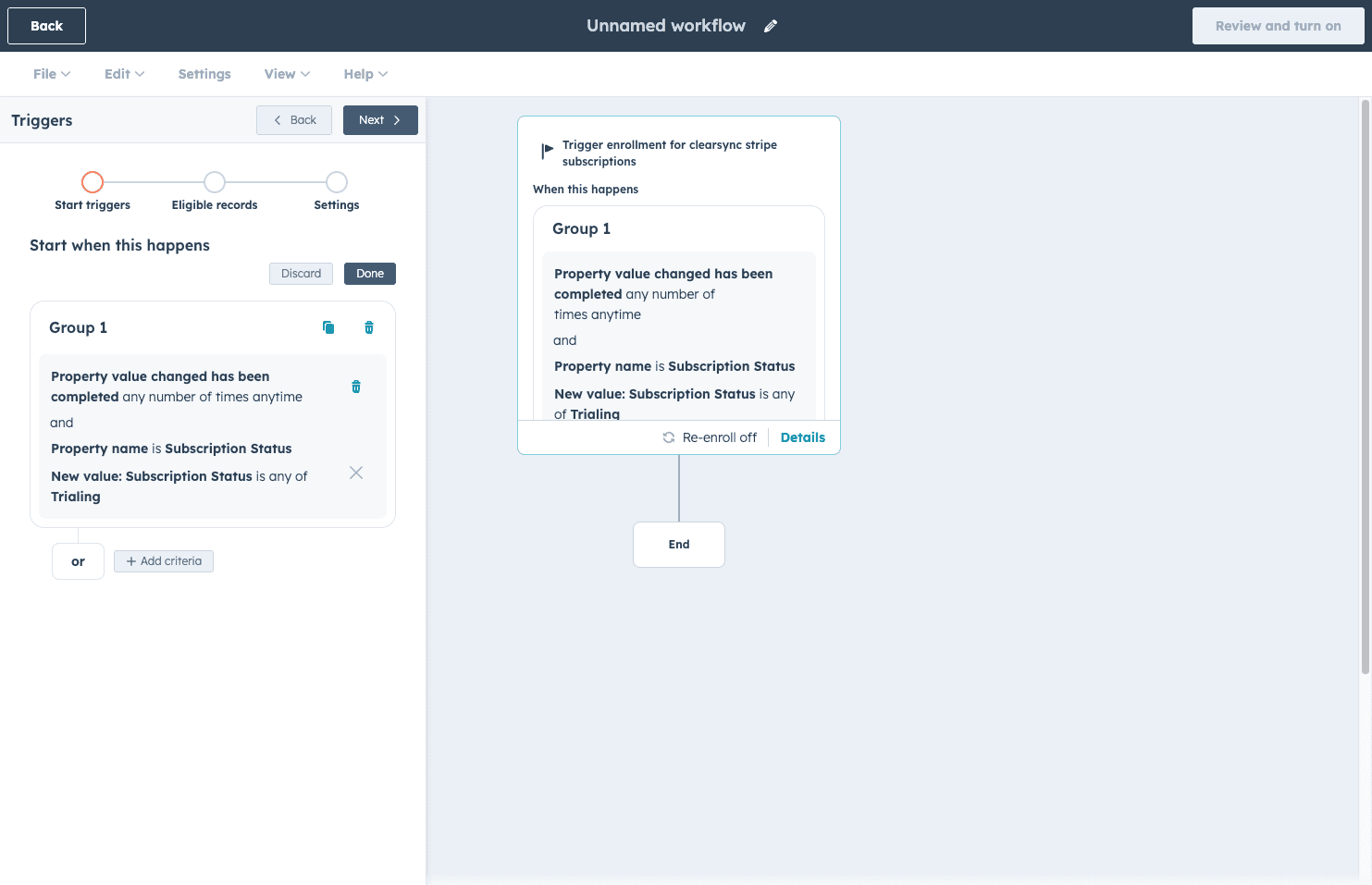
Turn ON re-enrollment in the Settings step. This ensures that if a contact starts a second trial in the future, they're eligible to enter the sequence again.
Write your onboarding email sequence in the HubSpot Email tool. 3 to 5 emails works well for a typical 14-day trial, but you can always start with fewer to test and learn. A good structure to start with:
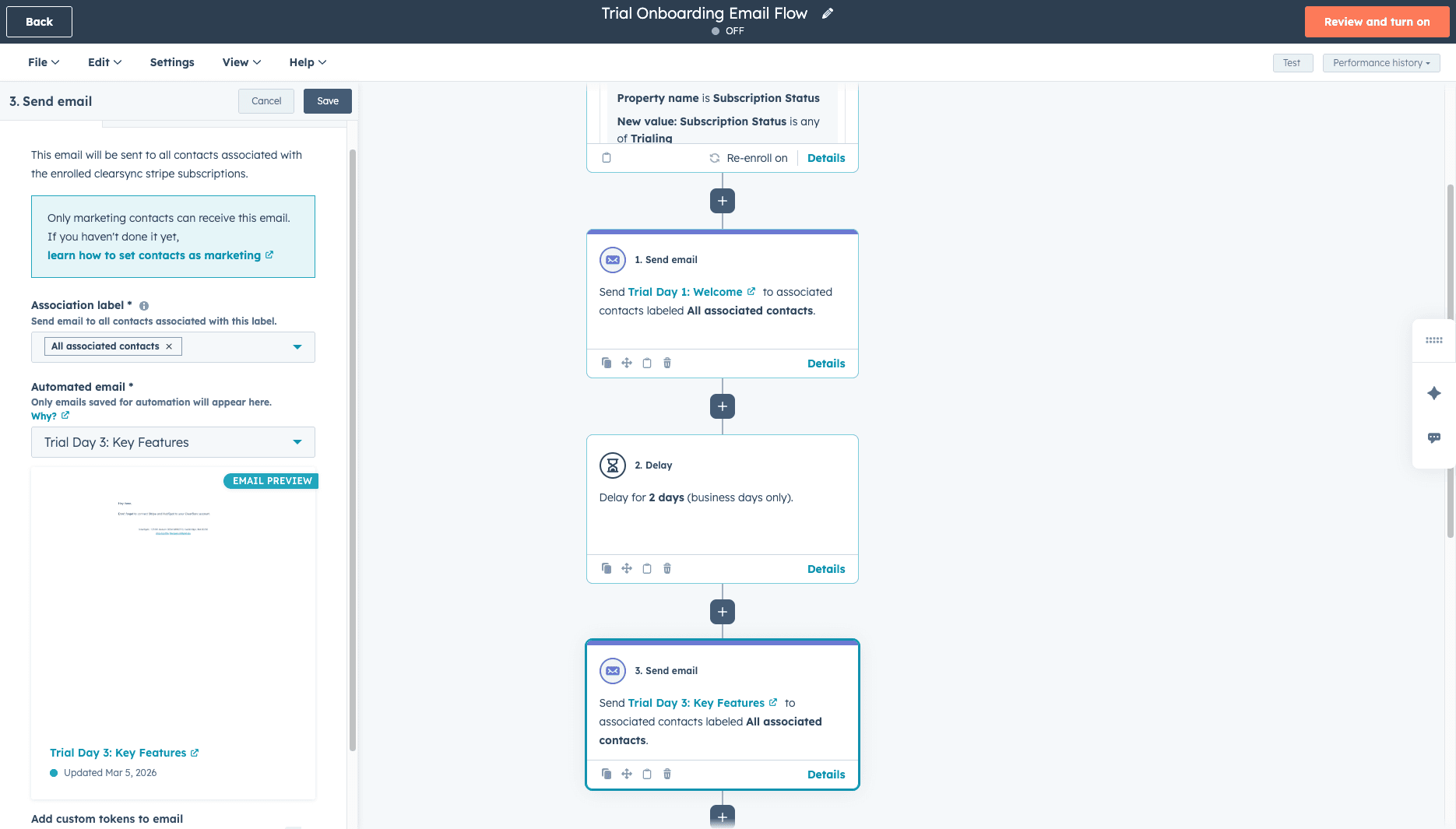
Day 1: Welcome + the one thing they should do first
Day 3: The key feature that drives the most aha moments
Day 7: A check-in. Are they getting value? Offer help
Day 11: Trial ending soon: here's what they'll lose and how to convert
Day 13: Last chance reminder with a direct link to upgrade
Soon you will be able to reference ClearSync fields like Product Name, Trial End Date, and MRR as personalization tokens in the body of the email so the emails feel specific to their situation, not generic. (This is pending an update from the HubSpot product team, slated for H1'26).
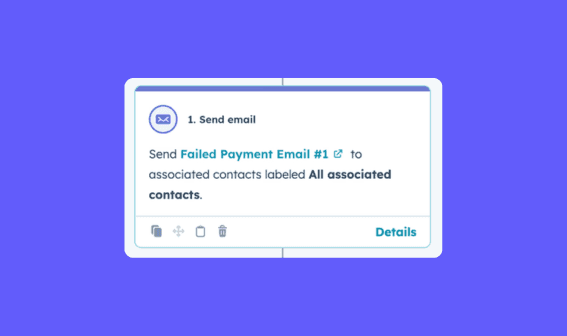
Add your emails to the workflow. Click Add Action > Communications > Send email. Add your emails with time delay steps between each send matching your sequence schedule.
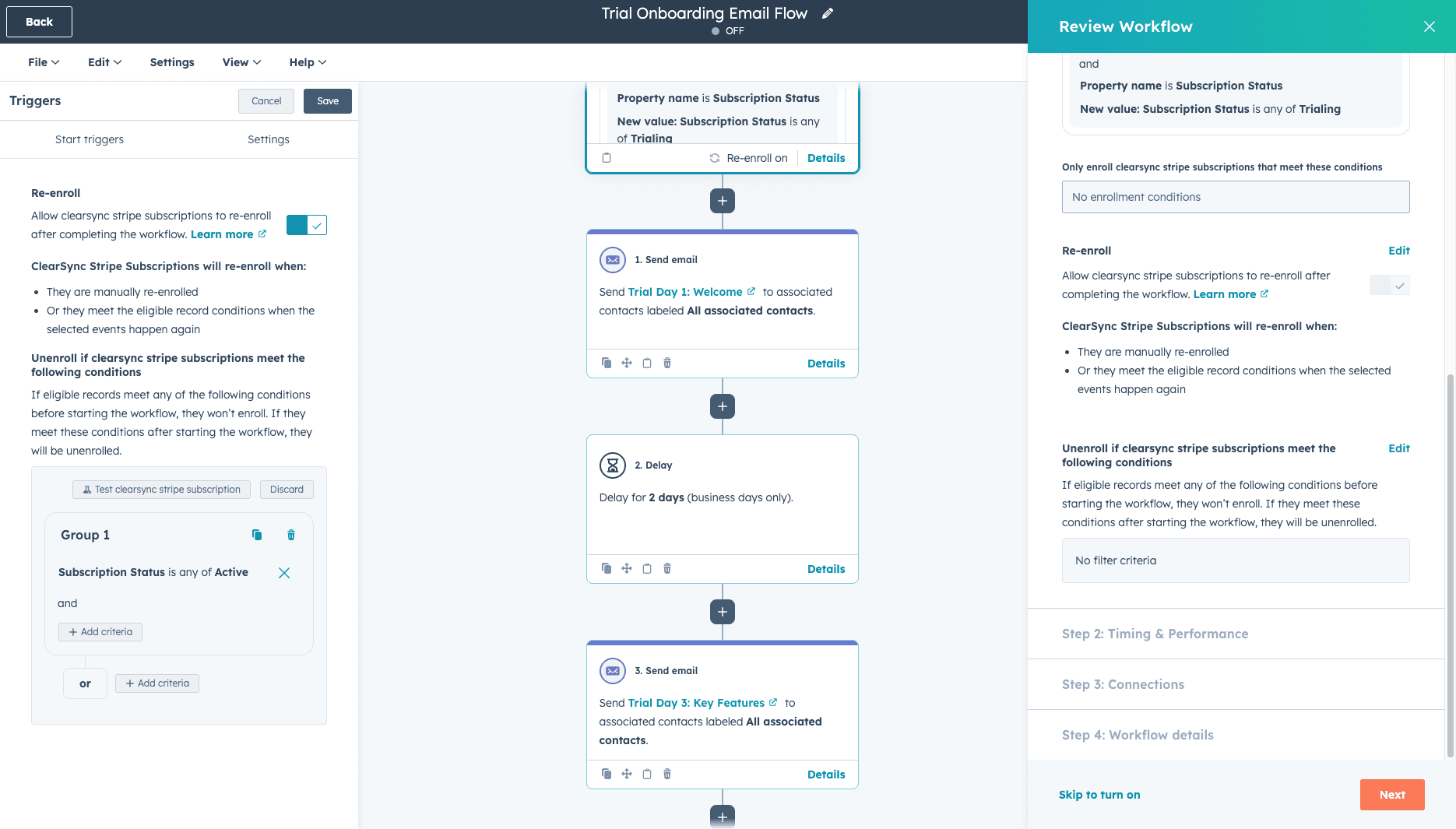
Set unenrollment criteria. Click "Review and turn on". In the workflow's unenrollment settings, add the rule: Subscription Status is any of Active. This automatically removes contacts from the trial sequence the moment their subscription converts to paid so they stop getting trial conversion emails after they've already converted.
Turn it on. Every new Stripe trial will now trigger this workflow automatically. HubSpot will log every email send on the contact record so your team has full visibility into who received what and when.